React Native CLI vs Expo vs EAS Build: What Should You Choose for Production Apps?
A practical comparison of React Native CLI, Expo Managed Workflow, and EAS Build for production mobile apps, including architecture decisions, native modules, deployment, and startup MVP recommendations.
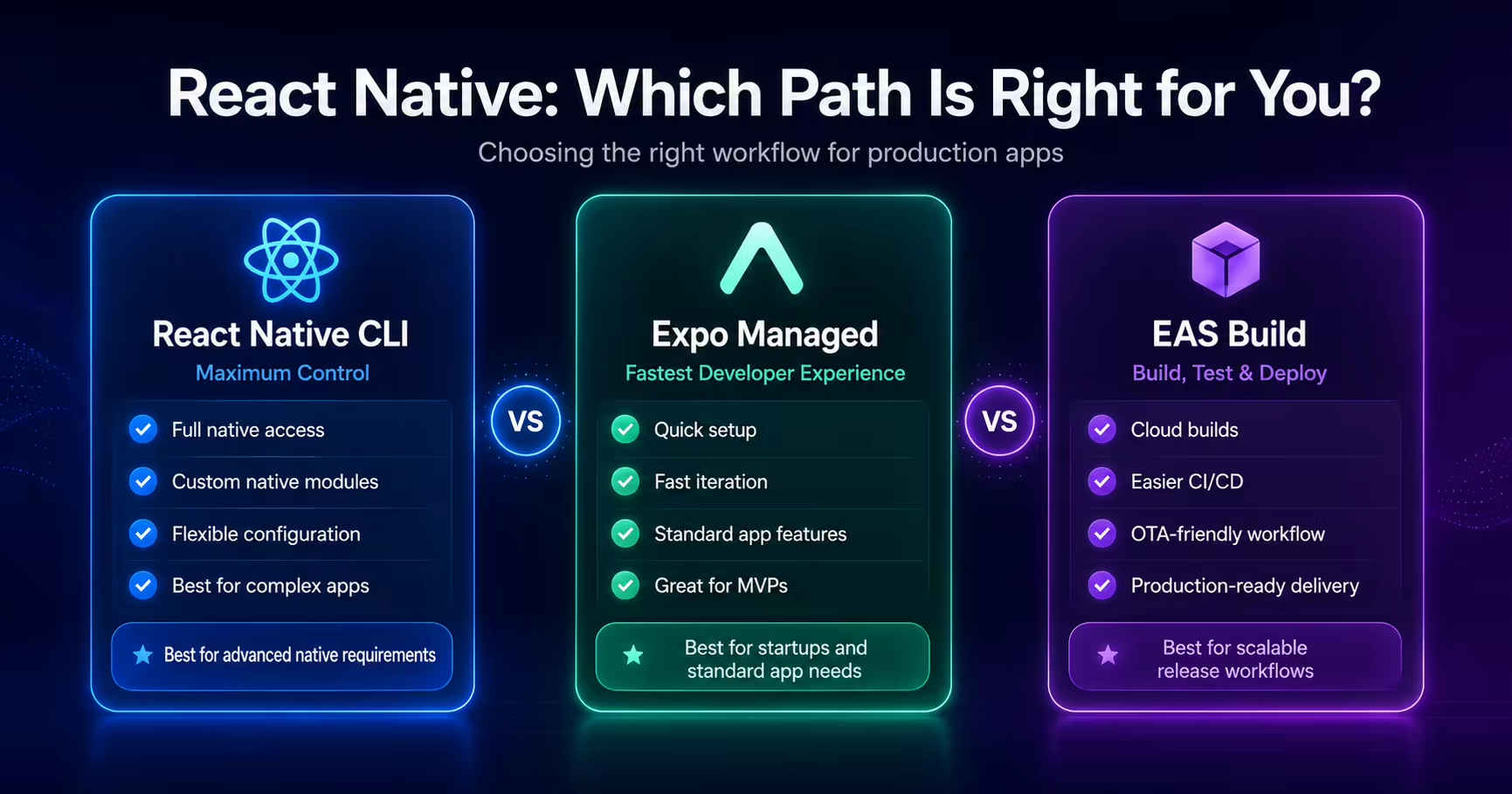
Choosing the right React Native setup is one of the most important decisions before building a production mobile app.
Many founders, startups, and even developers get confused between React Native CLI, Expo Managed Workflow, Bare Workflow, and EAS Build.
The wrong choice can slow down development, create deployment issues, increase maintenance work, or make native feature integration harder later.
In this blog, I'll explain how I think about this decision when building production-ready mobile apps for iOS and Android.
If you are planning a mobile app and need help choosing the right architecture, you can also explore my React Native Mobile App Development service.
Why This Decision Matters
React Native gives you multiple ways to build mobile apps.
At a high level, you can build with:
- React Native CLI
- Expo Managed Workflow
- Expo Bare Workflow
- EAS Build for production builds and deployments
Each option can be correct depending on the app requirements.
The decision should not be based only on personal preference. It should depend on:
- app complexity
- native module requirements
- timeline
- team experience
- deployment workflow
- long-term maintenance
- performance needs
- App Store and Play Store release requirements
For startup products, the right setup should help you move fast without creating technical debt too early.
What Is React Native CLI?
React Native CLI is the traditional way of creating and managing React Native apps.
It gives direct access to native iOS and Android projects.
This means you can work with:
- Android native code
- iOS native code
- Gradle configuration
- Xcode configuration
- custom native modules
- native SDKs
- advanced build settings
React Native CLI is powerful because it gives full control.
But with that control comes more responsibility.
You need to manage native build issues, dependency conflicts, signing, build configuration, and platform-specific setup more directly.
When React Native CLI Is a Good Choice
React Native CLI is a strong option when the app needs deep native control.
I usually consider React Native CLI when the project requires:
- complex native SDK integration
- custom native modules
- advanced background services
- Bluetooth or hardware integrations
- custom video/audio processing
- native payment SDKs with custom requirements
- heavy platform-specific behavior
- existing native iOS or Android codebase
- complex enterprise-level mobile architecture
For example, if an app depends heavily on custom native modules or platform-specific SDKs, React Native CLI may be the better long-term choice.
It gives more flexibility, but it also requires stronger native mobile knowledge.
What Is Expo Managed Workflow?
Expo Managed Workflow is a higher-level React Native workflow that simplifies development.
It provides a cleaner developer experience with many built-in features and a faster setup process.
Expo can help with:
- faster project setup
- easier development workflow
- OTA updates
- app configuration through
app.jsonorapp.config.js - common native features
- simplified asset handling
- easier testing with Expo Go during early development
- production builds using EAS Build
Expo is very useful for startups and MVPs because it reduces setup friction.
Instead of spending too much time configuring native projects early, developers can focus more on building product features.
When Expo Is a Good Choice
Expo is usually a great choice when the app needs speed, maintainability, and standard mobile features.
I prefer Expo for many startup and product apps that need:
- authentication
- Firebase or Supabase integration
- push notifications
- maps and location
- camera and media access
- payments
- AI integrations
- API-based features
- chat or real-time data
- App Store and Play Store deployment
- OTA updates
- fast MVP delivery
For many production apps, Expo is no longer just a beginner-friendly option. With EAS Build and config plugins, Expo can support serious production workflows.
This is why I often recommend Expo for startup MVPs and business apps unless there is a strong native requirement that demands React Native CLI from day one.
What Is EAS Build?
EAS Build is Expo's cloud build service for creating production iOS and Android builds.
It allows developers to generate production builds without manually handling every native build step locally.
EAS Build helps with:
- Android App Bundle builds
- iOS builds
- production profiles
- preview builds
- internal testing builds
- app signing credentials
- build automation
- release workflows
A typical Android production build can be created using:
eas build --platform android --profile production
For iOS:
eas build --platform ios --profile production
EAS Build is especially useful when working remotely or across teams because it makes the build pipeline more consistent.
Expo Managed Workflow vs Bare Workflow
Expo Managed Workflow means Expo controls most of the native project setup.
Bare Workflow means you still use Expo tooling, but you also have direct access to native iOS and Android folders.
The Bare Workflow becomes useful when you need Expo features but also need custom native changes.
A practical way to think about it:
Expo Managed Workflow -> Faster development, less native complexity
Expo Bare Workflow -> More native control with Expo tooling
React Native CLI -> Maximum native control
For many apps, I prefer starting with Expo Managed Workflow.
If the app later needs custom native behavior, config plugins or prebuild can help move toward deeper native control.
Native Modules and Config Plugins
One common concern with Expo is native module support.
In modern Expo workflows, config plugins help manage native configuration.
For example, if a library needs changes in Android or iOS native files, a config plugin can apply those changes during the build process.
This is useful because it keeps the project more maintainable while still allowing native configuration.
I have worked on production cases where native Android build issues required custom Expo config plugin solutions.
That kind of flexibility makes Expo more practical for real production apps than many people assume.
App Store and Play Store Deployment
Deployment should be part of the architecture decision.
A mobile app is not complete until it can be shipped and updated reliably.
For production deployment, I consider:
- Android package name
- iOS bundle identifier
- app signing
- EAS credentials
- production build profiles
- environment variables
- Firebase configuration
- push notifications
- Play Console setup
- App Store Connect setup
- app versioning
- release notes
- privacy policy
- testing builds
I covered the Android release process in more detail in my React Native Play Store Deployment Checklist.
The important point is that your development workflow should support your release workflow.
My Practical Recommendation for Startups
For most startup MVPs and business apps, I usually recommend:
Start with Expo + EAS Build
This works well when the product needs:
- fast development
- clean structure
- reliable builds
- push notifications
- Firebase/Supabase integration
- AI features
- payment integrations
- App Store and Play Store deployment
- future scalability
Expo helps teams move faster in the early product phase.
Later, if the app grows and needs deeper native customization, the project can be adjusted with config plugins, prebuild, Bare Workflow, or React Native CLI depending on requirements.
The goal is not to choose the most complex setup early.
The goal is to choose the setup that supports product delivery without blocking future growth.
When I Would Avoid Expo Managed Workflow
Expo Managed Workflow may not be the best first choice if the app requires:
- heavy custom native modules
- advanced native background services
- complex Bluetooth workflows
- deep hardware integrations
- highly customized native SDK behavior
- large existing native codebase
- platform-specific architecture from the start
In those cases, React Native CLI or Bare Workflow may be a better fit.
The decision should be based on product requirements, not hype.
Decision Checklist
Here is a simple checklist I use:
Choose Expo + EAS Build if:
- you need to build fast
- the app is a startup MVP
- the app uses standard mobile features
- you want easier build automation
- you want OTA updates
- you need App Store / Play Store deployment
- you want simpler team onboarding
- you want to reduce native setup complexity
Choose React Native CLI if:
- you need full native control
- the app depends on custom native modules
- the app has complex platform-specific requirements
- native SDK integration is heavy
- the team has strong native iOS/Android experience
- the app is already connected to native codebases
Choose Bare Workflow if:
- you want Expo tooling
- you also need native folder access
- config plugins are not enough
- you need deeper native customization
- you want a middle path between Expo and React Native CLI
Common Mistakes
Here are some mistakes I try to avoid:
- Choosing React Native CLI only because it sounds more advanced.
- Choosing Expo without checking native feature requirements.
- Ignoring App Store and Play Store deployment needs.
- Not planning environment configuration early.
- Adding too many native dependencies without checking build impact.
- Building MVPs with unnecessary native complexity.
- Waiting until release day to test production builds.
- Not thinking about long-term maintenance.
Good mobile architecture is not about using the most complex tools. It is about choosing the right tools for the product.
Final Thoughts
React Native CLI, Expo, and EAS Build are all useful.
The best choice depends on the product.
For many modern startup apps, Expo with EAS Build is a strong production-ready choice because it supports fast development, clean workflows, cloud builds, OTA updates, and store deployment.
For apps with complex native requirements, React Native CLI or Bare Workflow can provide more control.
My usual recommendation is simple:
Start with the simplest workflow that can support your production requirements, then add complexity only when the product truly needs it.
If you need help choosing the right mobile app architecture, building a production-ready React Native app, or preparing your app for App Store and Play Store release, explore my React Native Mobile App Development service or contact me to discuss your project.